Pages

Pages - Menu

Pages - Menu

HOW TO TAKE SCREENSHOT IN SYMBAIN PHONES-By Mubshar KashmiRi

screensnap-5-en.jpg

Assalamualaikum friendssss.... you know that now a days everyone want to take screen shot in our mobile phone.........
screen shot is a most important way to send any our screen pic to other person..........
.

With Best ScreenSnap you can capture screenshots on your smartphone, save them to a file or send them to friends or to your desktop computer/mobile......

HOW TO DO IT POSSIBLE IN SYMBAIN SMARTPHONE:--
1. first download a software from below link
CLICK HERE TO DOWNLOAD BEST SCREENSNAP SOFTWARE

2. After downloading install it.........

3. Now open it..
screen-snap60-5-en-01.jpg

4. Open first option screen shot and TAP your mobile CAMERA BUTTON.

5. And GO back by HIDE option.

6. Thats all.... enjoy...

HOW TO TAKE SCREENSHOTS ON SYMBIAN PHONES-By Mubshar KashmiRi

Symbian phone 
In my earlier days of blogging,I came across several tutorials with screenshots as they would appear on a mobile phone & imagined how they got it.


I decided to surf the net in search of answers,but got really disappointed as almost all the tutorials I read said: “only computer users”can get screenshots.
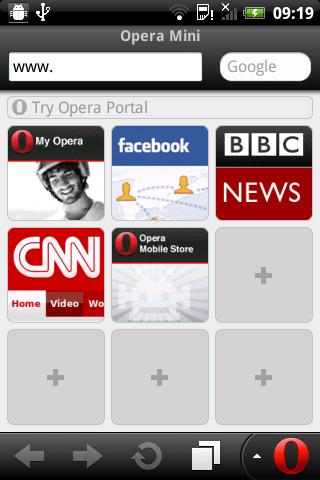
operamini screenshot
After much search,I gave up.But just recently,I came across an application which is capable of taking screenshots of anything currently displaying on your phone's screen(Called Screenshot). It can also take screenshots of other applications running on your phone.. But the bad news is “THIS SOFTWARE WORKS ON ONLY SYMBIAN PHONES”.
 

How to use “Screenshot”.

Below,I will be giving the steps on how to use this software.
  1. Download the app. & install it on your phone{Download links below}
  2. Launch the application after installing it from your main menu.
  3. Choose what shortcut is more suitable for you by going to Options » Settings menu.[For the 3rd versions,the default shortcut is “Camera key”].
  4. Minimize the application by pressing “Back menu”
  5. So anytime you wish to take a screenshot,press the shortcut selected in the settings.
You can also choose what format the shots will be saved i.e either in JPEG, PNG, BMP or MBM formats.

Download links with list of supported phones.

Screenshot for SymbianOS (S60 3rd Edition) version 3.01 Supported devices »» 3250, N71, N73, N75, N76, N80, N81, N82, N91, N92, N93, N95, E50, E51, E60, E61, E61i, E62, E65, E70, E90..... Screenshot v3.01 (Signed version) » 95 KB |DOWNLOAD IT!
Screenshot for SymbianOS (S60 3rd Edition) version 3.03 Supported devices »» 3250, N71, N73, N75, N76, N80, N81, N82, N91, N92, N93, N95, E50, E51, E60, E61, E61i, E62, E63, E65, E70, E90..... Screenshot v3.03 (unsigned version) » 118 KB |DOWNLOAD IT! {Sign symbian applications.}
Screenshot for SymbianOS (S60 1st/2nd Edition) version 2.50 Supported devices »» 3230, 3600, 3620, 3650, 3660, 6260, 6600, 6630, 6670, 6680, 6681, 6682, 7610, 7650, N70, N72, N90, N-Gage, N-Gage QD. Screenshot 2.50 » 191 KB |DOWNLOAD IT!Download the version of the software supported by your phone and enjoy while you screenshot your symbian phone.
Don't be selfish!!!Share this post with your friends on facebook,twitter etc.... If you need help using this software,don't forget to leave your comments behind!!!!!.Also read “HOW TO TAKE SCREENSHOTS ON JAVA PHONES”.

How TO TAKE SCREENSHOTS ON JAVA PHONES-By Mubshar KashmiRi

How TO TAKE SCREENSHOTS ON JAVA PHONES-By Mubshar KashmiRi update 09/26/2015
Some days back,I gave a tutorial on how you can take screenshots of anything displaying on your mobile using a small but powerful application called “screenshot”. Like I mentioned in that post,this software can only work for symbian s60 users.But hey,why should Java users be left out?!!!.
So today,I will be sharing with us another trick with which you can take screenshots on Java phones.
In this tutorial,we will be making use of this popular and one the world's most used mobile browser |OPERAMINI.| Yeah,that's right!!you can take screenshots using operamini.Though,not all operas take screenshot,this version does.

OPERAMINI WITH SCREENSHOT.

For the benefit of this tutorial,it would be better if you had a better understanding of this operamini[Opera mini Mod 4.21 beta9HandlerUI]

Features of Operamini4.21beta9UI

  • Application was modded by YKhandler
  • Cheat enabled->If you have a cheat you want to use,you can.And if not,it can work without one.
  • Application in .jar extension
  • Built in File manager
  • Powerful download ability
  • Screenshot embedded+ many more....
Due to difficulty in downloading the software from the main site,I 've uploaded it to another server[virus free]. |DOWNLOAD IT HERE!|
Download the file above » Install/Launch it and follow the instructions below to take screenshots with it.

How to take screenshots using operamini.

  1. First things first,Choose a folder to save your screenshots by going toMenu»Tools»Settings»General
  2. Scroll down to “Path for Saving Screenshots” and choose the path you want your shots to be saved. Save the settings.
  3. Go to Menu again,but this time,select Navigation
  4. Locate “Shortcuts” and click on “Edit
  5. Scroll down to Number “44” where you see “Screenshot/Empty”,click on it and press your desired shortcut there[You'll use this whenever you want to take a screenshot]
  6. Save modifications.
Press the shortcuts you inputed in the settings to be sure you made no mistakes.If properly done,the screenshot of the application's front page should be saved to the path you specified above.
Now anytime you want to take a screenshot,just press the shortcut,and you are done.

Also read ''HOW TO TAKE SCREENSHOTS ON SYMBIAN PHONES"